s&box 26.10.27: server passwords, CMAA2 and light modulators
The s&box update of October 27, 2026: password-protected servers, CMAA2 anti-aliasing and new presets, light modulators with caustics and cloud shadows, and layered fog.
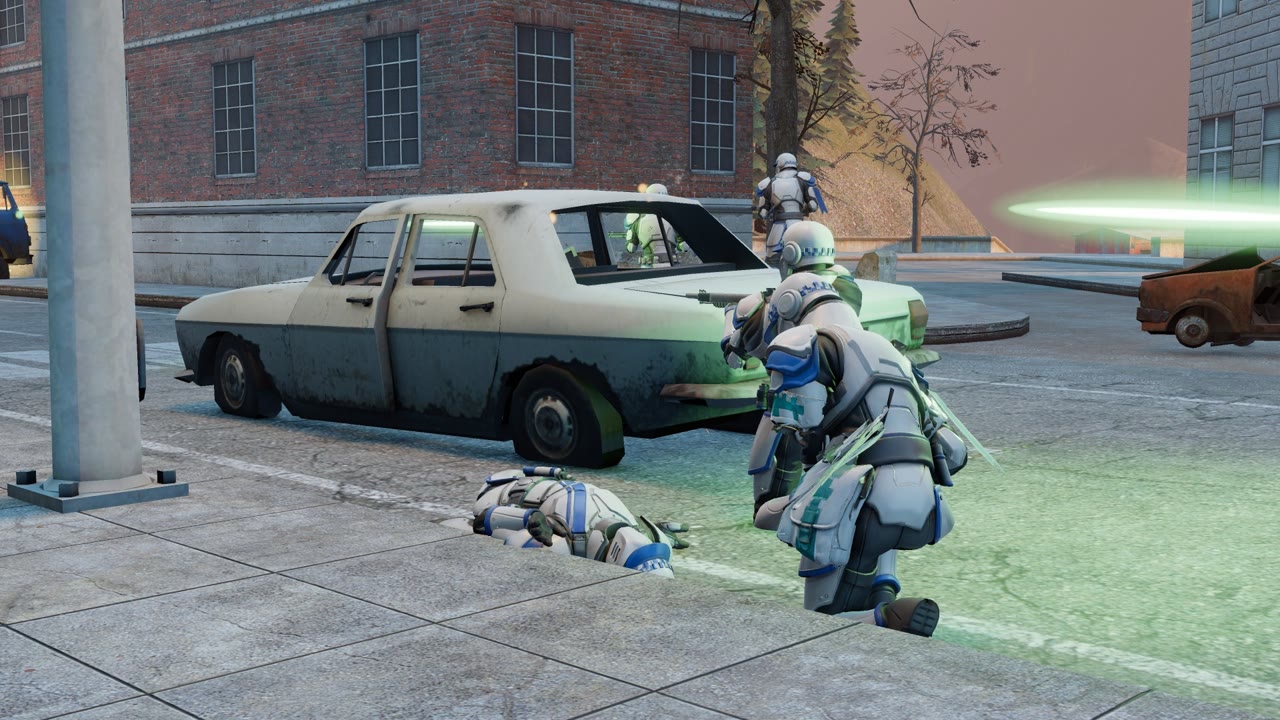
The s&box update of October 27, 2026 (26.10.27) lists 250 changes. This unofficial summary covers four areas: CMAA2 anti-aliasing, light modulators, layered fog and password-protected servers. Facepunch’s news post “Familiar Territory” leads with the first version of Steam Workshop for games. It also covers Source 1 mounts and the expanded F11 developer tools.
CMAA2 and the new anti-aliasing presets
On the rendering side, the update adds Conservative Morphological Anti-Aliasing 2 (CMAA2). It is a post-process anti-aliasing option that can run on top of MSAA. The anti-aliasing and upscaler controls are also clearer. CMAA2 is a player graphics setting. The camera API only offers a switch that turns anti-aliasing off for one camera. Facepunch’s news post describes CMAA2 as non-temporal, so it does not cause temporal ghosting.
Fast-paced game modes such as surf, bunnyhop, arena shooters and racing tend to show the weak spots of temporal techniques. In s&box, the temporal options are the FSR3 and DLSS upscalers. The game’s own settings text warns that these can ghost on moving objects and in-world UI. CMAA2 works on a single frame and keeps no history. It smooths jagged staircase edges and is designed to blur the rest of the image as little as possible.
The anti-aliasing presets were reworked as well. Low and Medium now use CMAA2, and High and Ultra use 4x MSAA. No preset uses 8x MSAA. Render Scale is a separate setting that the graphics presets do not change. It now works with anti-aliasing off, with MSAA and with CMAA2. On a midrange GPU or a high-resolution monitor, you can lower Render Scale and keep CMAA2 on. The game’s settings text says a lower scale is faster and softer. FSR3 and DLSS have their own quality settings, which set the render resolution for those upscalers. All of these sit in the graphics settings menu, as the anti-aliasing and upscaler options did before this update.
Light modulators: patterned light through textured panes
For scene lighting, the new LightModulator component filters point lights, spotlights and sunlight through a textured rectangle or an infinite plane. The filtered light affects lit surfaces and volumetric fog. A modulator only changes the light, so add a separate renderer if the glass or grate itself should be visible. The update also adds animated modulator effects, such as caustics and cloud shadows, and a new Fog component with distance and height layers. You place and tune all of these as components in the scene editor.
Spotlights in s&box could already shape their beam with a cookie texture. That works for effects like light through blinds, grates or stained glass. A light modulator works differently: you place a textured pane between the light and the scene. The pattern then falls on lit surfaces behind the pane, including moving characters and props. Neither the release notes nor the news post gives cost figures for modulators, so profile scenes that use many panes.
Caustics, cloud shadows and layered fog
Caustics and cloud shadows are two of the eight effects a light modulator can apply. Facepunch’s news post says the component was added mainly for water caustic effects, with clouds as another obvious use. The caustics animate and the cloud shadows drift. For both, a speed of zero freezes the motion. The WaterBody water component, with its own caustics and underwater fog, arrived later in update 26.11.10. Outdoor Sandbox and Roleplay maps can use these effects, but they do not appear in existing maps until a mapper adds them.
The new Fog component replaces the older GradientFog, which stays for existing scenes. It has independent distance and height layers and fixed or sky-derived colors. It also blends through post-process volumes, so parts of a map can have their own fog. For multiplayer maps, we recommend keeping fog thin close to the player in combat or building zones, so silhouettes stay readable. A later start to the distance ramp (DistanceRange) or a lower MaximumOpacity does this. For distant views, sky-derived colors and the SkyAffect setting help blend fog into the skybox. A negative HeightGradientLength makes the height fog fade downward instead of upward, and the height layer can take its color from the sky.
Password-protected servers
On the multiplayer side, you can now require a password to join your server. Set it with sv_password or in the password row of game setup. A game can also set LobbyConfig.Password in code; when that is not set, the sv_password value applies. In a lobby, players invited by someone already in the game skip the password. Quickplay skips password-protected servers. This suits private playtests, clan scrims and moderated community events.
For server operators and C# teams, a password is a quick way to keep a QA session on a live build closed. You do not need to write custom join checks. Lobbies also keep their friends-only and invite-only modes, and the AcceptConnection hook still handles per-player rules. You and your testers can check network traffic and performance in the expanded F11 Dev Tools. Password-protected servers still appear in the server list, with a lock icon. You can change or clear sv_password while the server runs, and players already in stay in. Read the full list of changes on sbox.game/release-notes.
All news · Guides · Follow @sboxlist on Instagram and TikTok.
Comments
No comments yet.